The journey
Enrollment to certificate, in one place
Most academies run their learner journey across five disconnected tools. On EduGears AI LMS the whole path lives in one place — and the hand-offs happen by themselves.
- 1
Structure your catalog
Courses hold the content — sections and activities, built with the 32 AI tools or imported from SCORM, Moodle, or Common Cartridge. Programs group courses into tracks your academy actually sells.
- 2
Open a classroom and enroll
A classroom takes a course and gives it people: a roster, a schedule, broadcasts. Enroll students individually or by bulk invite — and enroll them in the program they're pursuing, which is a record of its own, with withdrawal and re-enrollment kept in the history. Every learner gets their own dashboard the moment they're in.
- 3
Learners learn, guided
The sequential player walks each learner through lessons in order — slides, study guides, worksheets, quizzes — with progress, resume, due-soon reminders, calendar, and Cog, the EduGears AI assistant surface, one click away on every page. Cog already knows the lesson or quiz in front of the learner, and it will not surface quiz or answer-key material, so it is safe to leave on during assessment. Any activity can carry an opens, due, and closes window, so work appears when you mean it to and late submissions are flagged as late.
- 4
Work gets graded
Quizzes score themselves as learners submit. Projects, capstones, and essays are AI-graded against your rubric with per-criterion feedback — you approve before anything posts, and any gradebook cell can be marked by hand. Category weights turn all of it into one course grade that the gradebook, report cards, transcripts, certificates, and reports all read.
- 5
Certificates, the moment they qualify
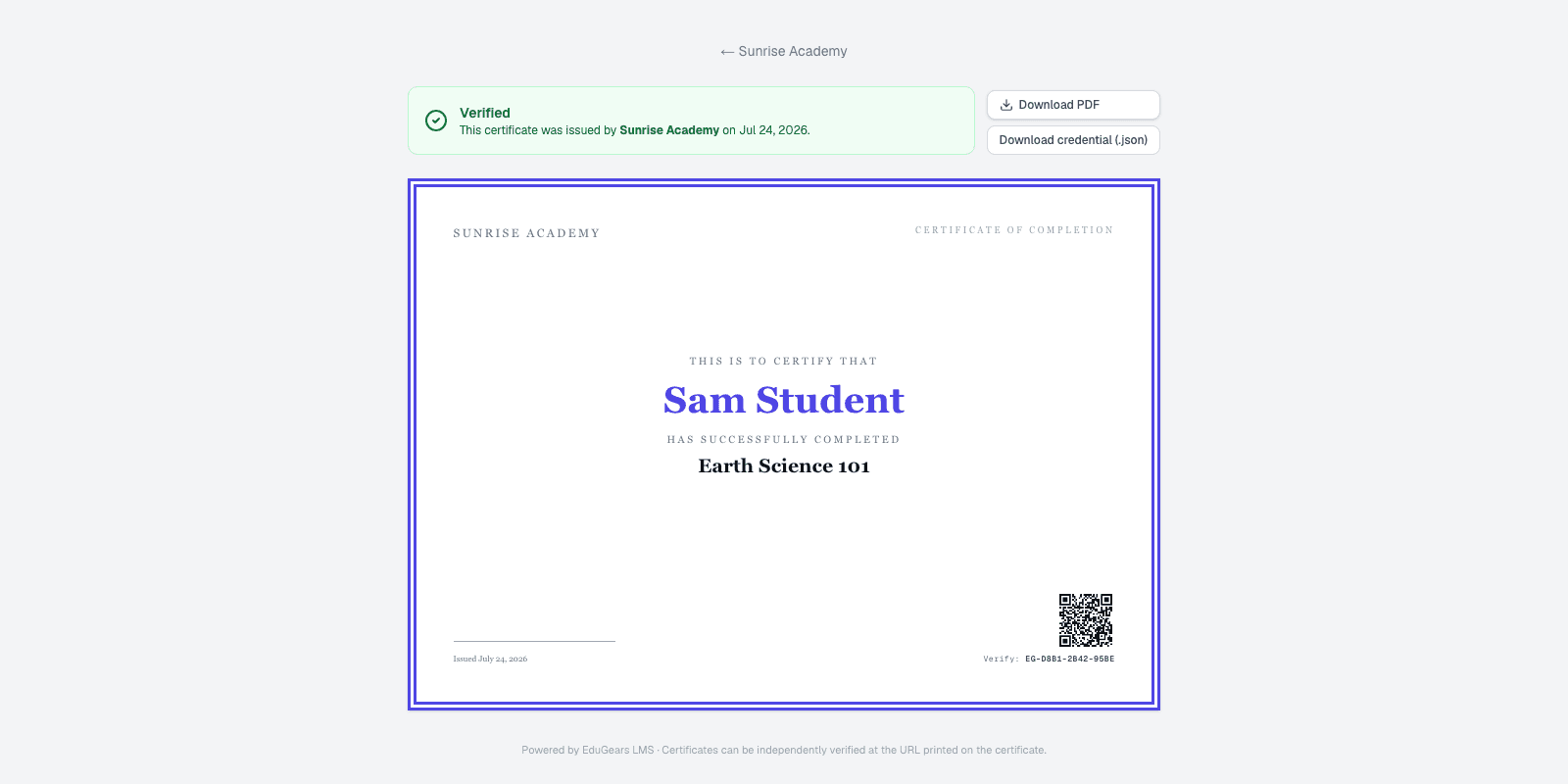
Turn on automatic certificates for a course and each learner's certificate is issued the moment they qualify — every graded activity marked and the weighted grade at or above your pass mark. A program awards its own certificate on top, on the rule you set for it: every required course passed on its weighted grade, or every required course holding its own certificate.
- 6
Proof that travels
Every certificate carries a QR code to a public, academy-branded verification page — and, where issued, an Open Badges 3.0 verifiable credential the learner downloads and keeps.
Watch the whole loop live
In one demo we'll go from enrolling a student to verifying their certificate — on a tenant branded as your academy.